Pro

The Play Designer
Built for Coaches

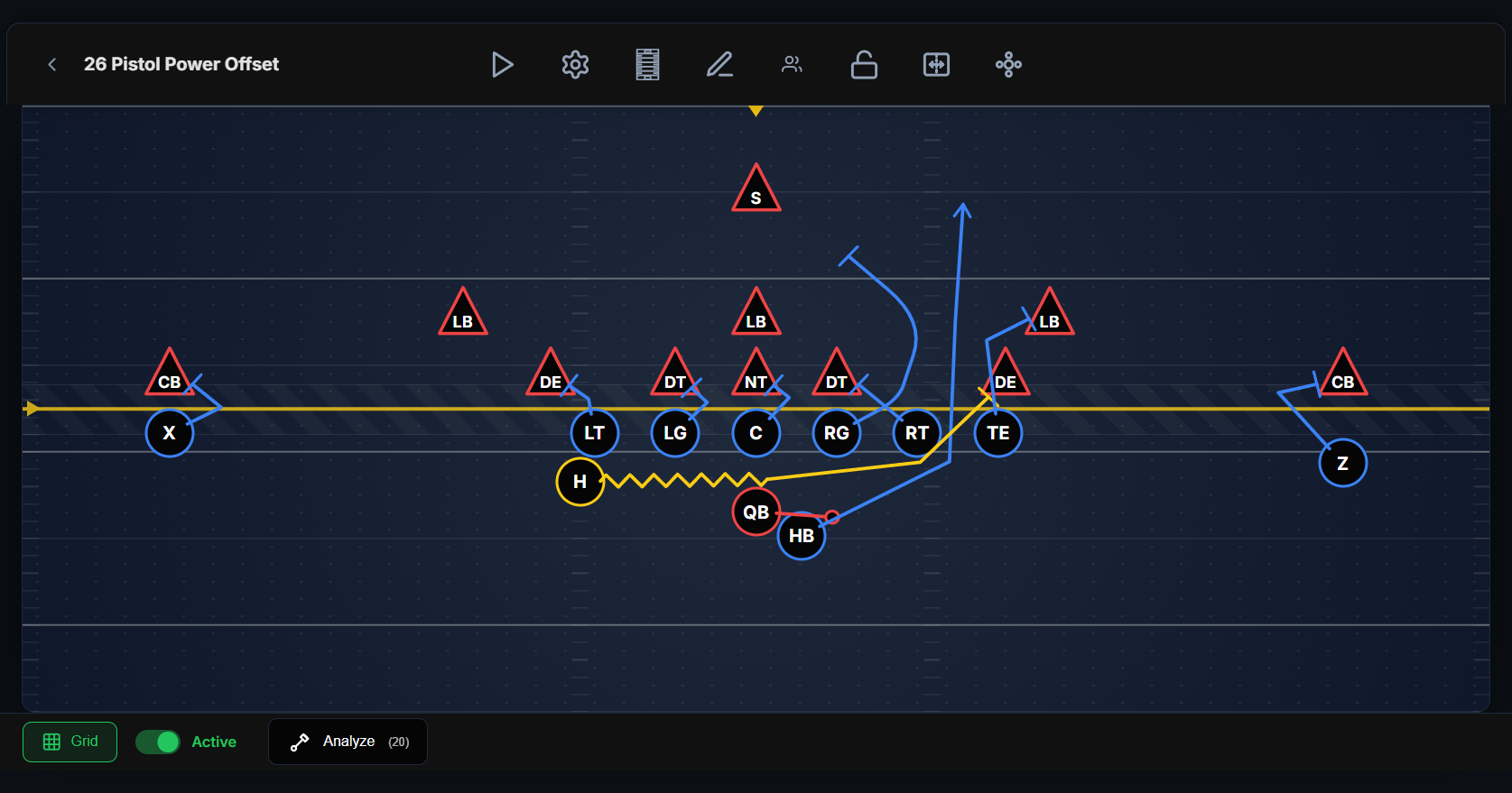
A full-field tactical canvas where you drag players, draw routes, add motion, and watch it all come to life. Every tool a coach needs to draw up a play in seconds — not minutes.

Full Play Designer canvas with an offensive play drawn — players, routes, and a highlighted selected player.
The Canvas

Drag, drop, and draw on a real field

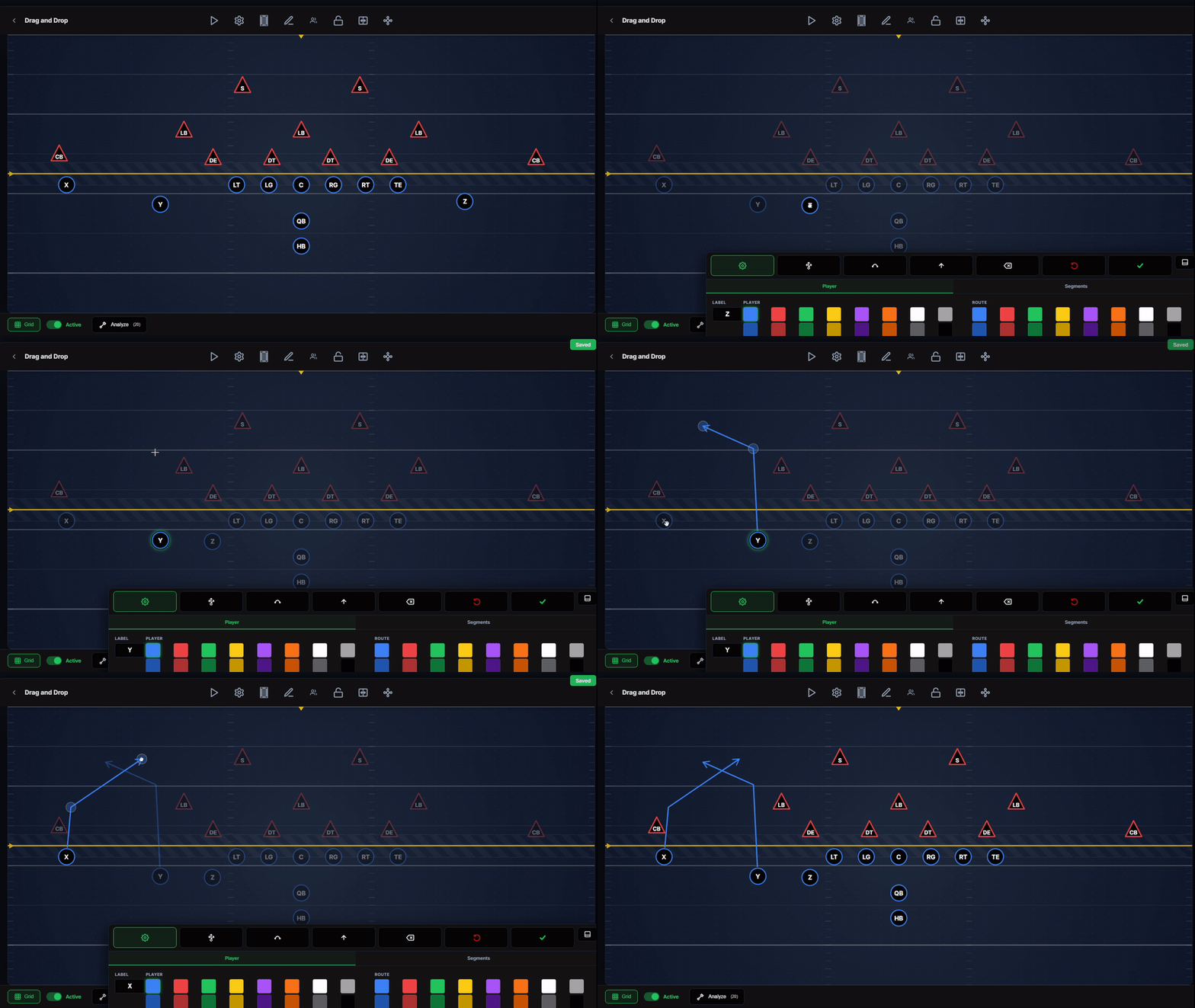
Place offensive and defensive players anywhere on a to-scale field. Tap to draw multi-point routes and blocking assignments for any player — no fiddly menus, just point and go.
  • Drag-and-drop players for offense, defense, and special teams
  • Multi-point routes drawn with a tap, editable point by point
  • Adjustable line of scrimmage, hash marks, and defense show/hide
  • Flip field to mirror any play left or right instantly
Mid-draw: a receiver route being drawn point-to-point on the canvas.
Route Styling

Every route, exactly how you draw it up

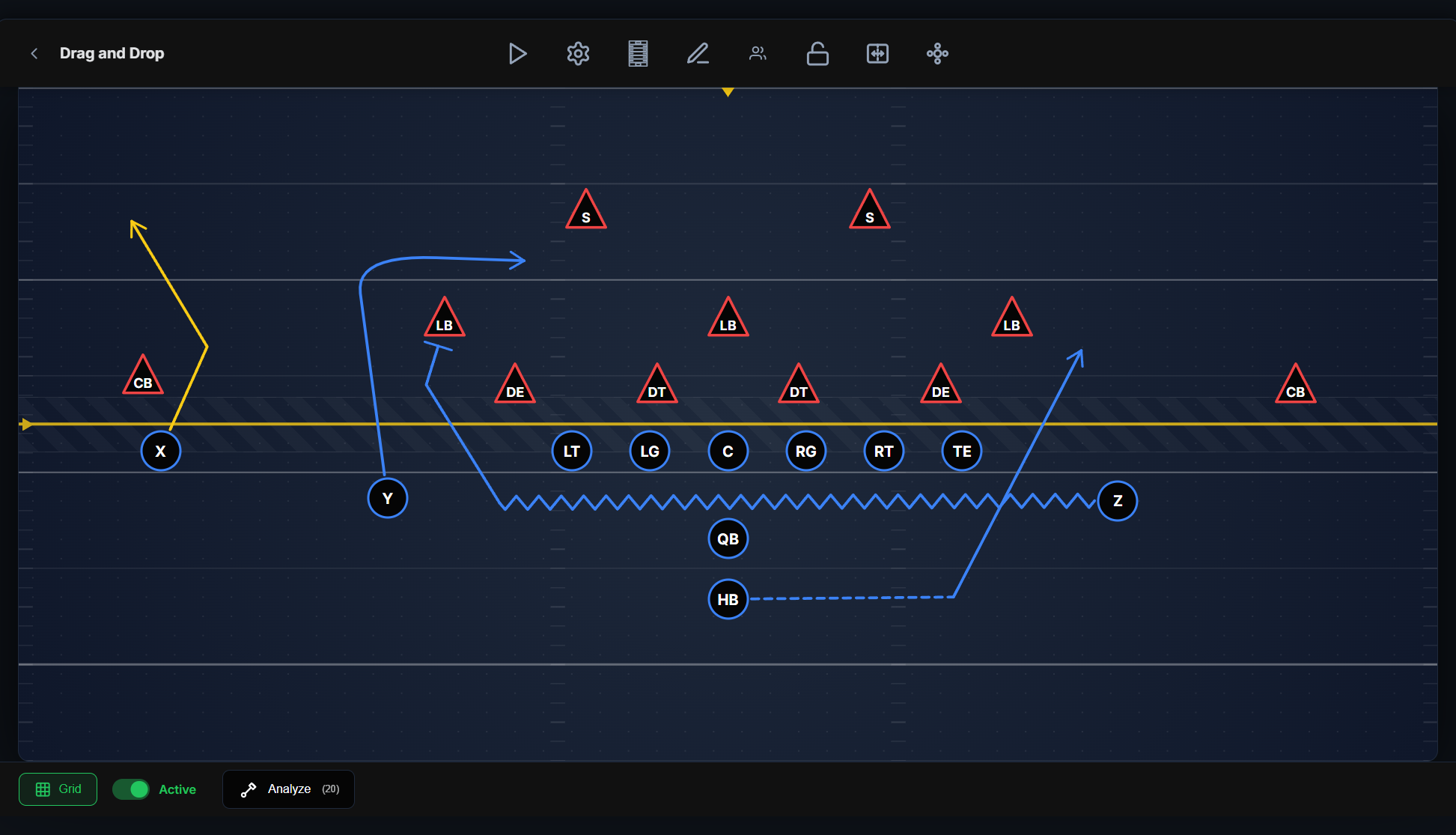
Smooth curves or sharp cuts. Show pre-snap motion, option paths, and blocking with distinct line styles and end-caps — so anyone reading the play knows precisely what it means.
  • Smooth or sharp route rendering per player
  • Per-segment styles: straight, zig-zag (motion), and dashed (option)
  • End-caps: arrow, blocking "T", or circle
  • Preset routes — Go, Slant, Out, In, Post, Corner, Curl, Wheel
Route styling controls open — straight/zig-zag/dashed and end-cap options visible.
Formations & Color

Load a formation, color-code your call

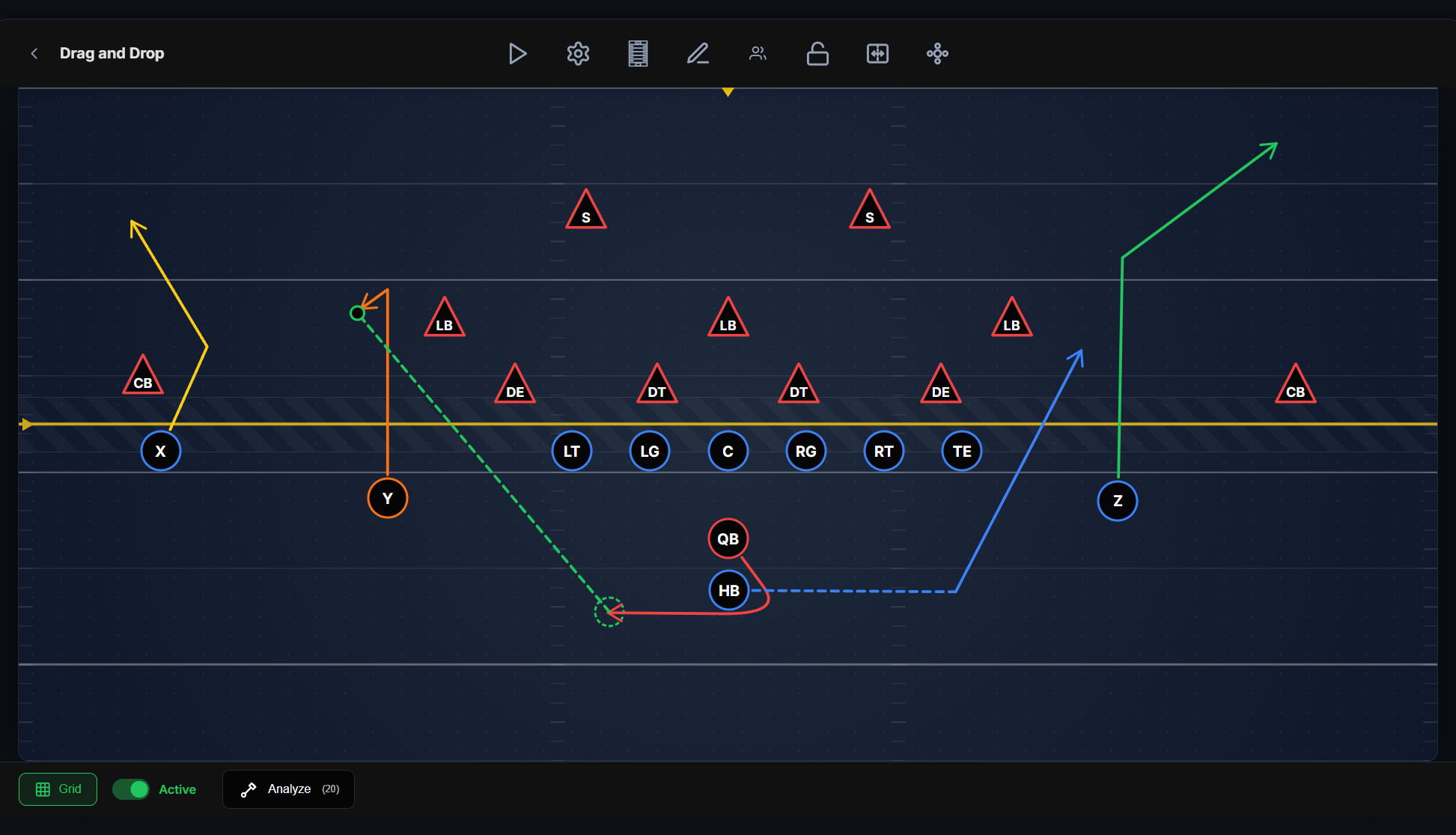
Drop a full offensive or defensive formation onto the field in one tap, then use a 16-color palette to color players and routes for clarity. Add text labels, coverage zones, and coaching notes right on the field.
  • Formation presets — Shotgun Spread, I-Form, Single Back, Wing T, 4-3, Nickel, and more
  • 16-color palette for players and routes
  • Annotations — text, resizable zone/coverage circles, and notes
  • Grid & snap-to-grid for clean, aligned diagrams
Formation preset loaded with color palette open and an annotation zone on the field.
Animate & Simulate

Press play and watch the whole thing move

Turn a static diagram into a moving play. Set each player's speed and start delay, run the animation, and see how the routes and motion time up. The single most powerful way to teach a concept.
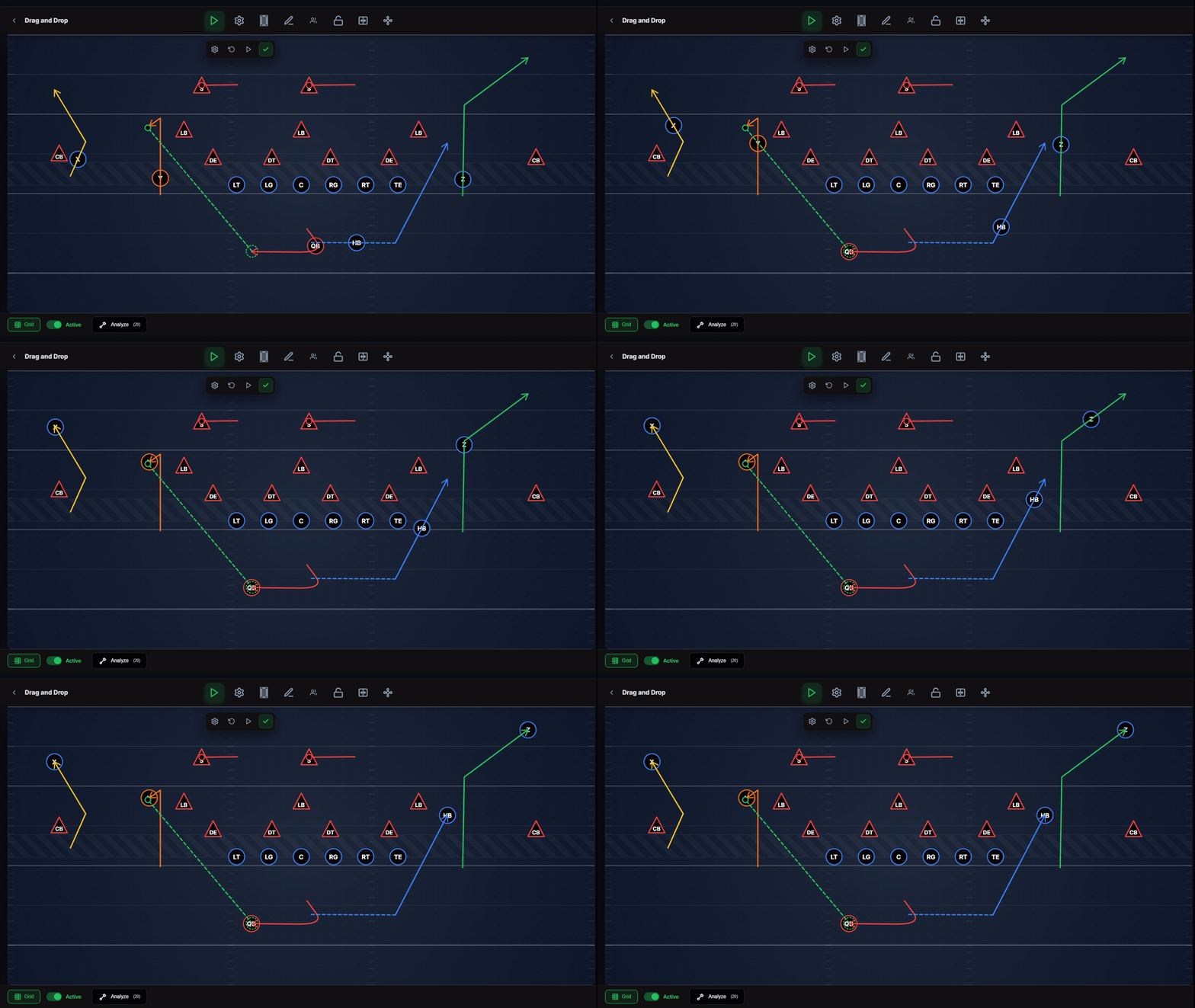
  • One-tap animation playback of the full play
  • Per-player speed multiplier and start delay
  • Reset positions and save animation timing with the play
Mid-animation — players partway through their routes with the play controls visible.
Scratch Pad

A chalkboard for the sideline

Need to sketch an idea fast? The Scratch Pad is a freehand chalkboard — chalk colors, O/X player stamps, an adjustable line, and undo. Perfect for the bus, the sideline, or a quick "here's what I'm thinking."
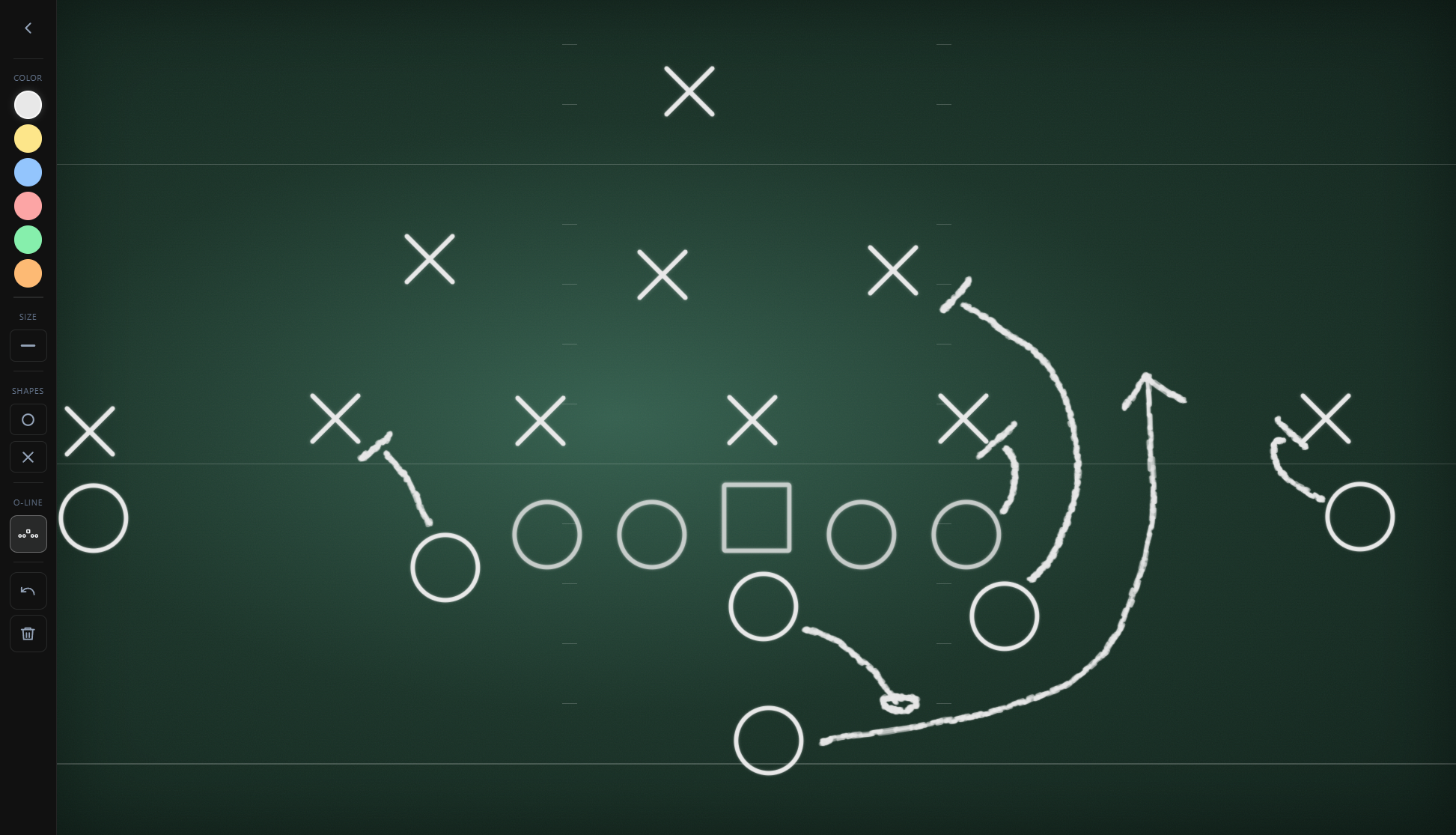
  • Freehand chalk drawing with multiple colors
  • O/X player stamps and an adjustable offensive line
  • Undo and clear — no setup, just draw
Scratch Pad chalkboard with a freehand play sketched and O/X stamps.

Draw up your first play in under a minute

The Play Designer is free to start.